
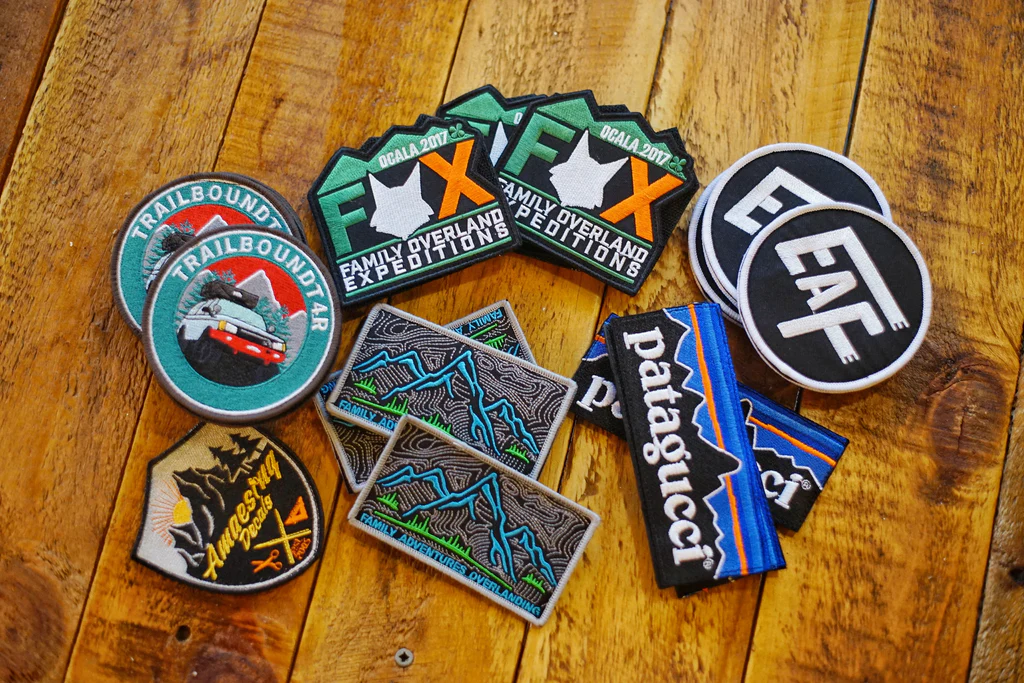
Designing custom patches sounds simple, until you actually sit down to create one. You have an idea in your mind. Maybe it’s for your brand, a team, a club, or even personal use. But then questions start popping up:
What shape should I choose?
Which colors will actually look good on fabric?
Do I need a designer, or can I do this myself?
The truth is, custom patch design is not just about making something “look good.” It’s about creating something that is clear, wearable, durable, and meaningful.
The good news? You don’t need to be a professional designer to get it right. The guide provides a complete overview of all its content through an easy-to-understand human presentation of its material.
Why Custom Patch Design Matters More Than You Think
A patch is not just decoration. It represents identity. Be it a patch worn by a soldier, a brand logo patch in a manufactured jacket, a biker patch on a leather, or a badge worn on a law/medical uniform; it narrates the tale without words.
A well-designed patch:
- Looks clean and professional
- Stays readable from a distance
- Lasts longer on fabric
- Reflects your brand or purpose clearly
A poorly designed patch?
The design process requires complete attention because it serves as the primary element of the project.
Step-by-Step Process to Design Custom Patches
Let’s dig through basic steps which people can follow in their daily activities.
Step 1: Start With a Clear Idea
Before opening any design software, ask yourself:
- What is this patch for?
- Who will wear it?
- Where will it be placed (jacket, cap, uniform)?
Keep it focused.
For example:
- A company patch → clean and professional
- A biker patch → bold and edgy
- A kids’ patch → colorful and playful
Don’t overthink it. Just define the purpose first.
Step 2: Choose the Right Shape
Shape is one of the most important decisions in custom patch design.
Common shapes include:
- Circle (classic and balanced)
- Rectangle (great for text)
- Shield (popular for uniforms)
- Custom shape (unique branding)
Simple rule:
If your design has more text → go rectangular
If your design is logo-based → circle or custom works better
Avoid overly complicated shapes. They increase cost and reduce clarity.
Step 3: Pick the Right Size
Size directly affects readability. Typical patch sizes:
- Small: 2–3 inches (caps, sleeves)
- Medium: 3–4 inches (uniforms, shirts)
- Large: 5+ inches (jackets, back patches)
If your design has fine details, go slightly bigger.
Small patches + too much detail = messy result.
Step 4: Select Colors Carefully
This is where most beginners go wrong. You don’t need 10 colors. You need the right colors.
Best practices:
- Stick to 2–5 colors maximum
- Use high contrast (dark background + light text)
- Avoid similar shades (they blend into each other)
For example:
- Black + white + red = bold and readable
- Yellow on white = hard to see
Also remember that the thread colors are different from screen colors. Always choose slightly stronger tones.
Step 5: Choose Border Style
Borders define your patch and give it a finished look.
Common border options:
- Merrowed border (thick stitched edge, classic look)
- Heat cut border (clean, sharp edges for custom shapes)
- Laser cut border (for detailed designs)
If you want durability → go with merrowed
If you want unique shapes → go with heat cut
Step 6: Decide on Patch Type
Your design also depends on the patch type.
Popular types:
- Embroidered patches (textured, classic)
- PVC patches (modern, rubber-like, waterproof)
- Woven patches (fine details, smoother finish)
- Printed patches (photo-like designs)
For bold designs → embroidered
For detailed artwork → woven or printed
For outdoor use → PVC
Step 7: Create the Design (Digitally)
Now comes the actual design work. You can use:
- Adobe Illustrator (AI)
- Photoshop (PSD)
- Canva (for beginners)
Keep these in mind:
- Use clean fonts
- Keep spacing balanced
- Avoid tiny text
- Make sure everything is centered
You should not worry about design work unless you are a designer. Professionals are able to improve even the most basic design concepts which already prove to be effective.
Step 8: Choose the Right File Format
File format is crucial for production quality. Best formats for custom patches:
- AI (Adobe Illustrator) → best for scalability
- EPS → professional vector format
- PNG → good for previews (transparent background)
- JPG → acceptable but lower flexibility
Golden rule:
Vector files (AI, EPS) are always better than image files. They ensure your patch looks sharp at any size.
Step 9: Review Before Production
Before finalizing, double-check:
- Spelling errors
- Alignment issues
- Color contrast
- Size readability
When you need to review your design work, just use a distance view because it helps you see everything better. This document is unreadable when you really try to read it due to some reading difficulties that you currently possess.
Common Mistakes to Avoid
Even experienced people make these mistakes. Avoid them from the start.
1. Too Much Detail
Small threads cannot handle complex artwork. Keep it simple.
2. Using Too Many Colors
More colors = higher cost + messy design. Stick to a clean palette.
3. Poor Contrast
Light text on light background disappears. Always test visibility.
4. Tiny Text
If it’s less than 5–6 mm, it may not stitch properly.
5. Ignoring Patch Type
Designing for embroidery but using printed style details won’t work. Match your design with the patch type.
6. Not Checking File Quality
Low-resolution files lead to poor results. Always use high-quality or vector files.
Design Tips for Beginners
If you’re new to custom patch design, these tips will save you time and frustration.
Keep It Simple
The best patches are often the simplest. Think bold, not busy.
Use Bold Fonts
Thin fonts don’t stitch well. Go for strong, readable typography.
Focus on One Idea
Don’t try to say everything in one patch. One message = better impact.
Test on Backgrounds
Check your design on different fabric colors. It should work on dark and light surfaces.
Get Feedback
Show your design to someone else. Fresh eyes catch mistakes quickly.
Free Design Services (Your Biggest Advantage)
Here’s something most people don’t realize, you don’t actually need to design everything yourself. Many custom patch companies (including us) offer free design services.
What does that mean?
- You send a rough idea, sketch, or even just text
- Professional designers convert it into a production-ready patch design
- You get revisions until it looks perfect
This saves:
- Time
- Money
- Stress
Even if you have zero design experience, you can still get a premium-quality patch.
When Should You Use Free Design Help?
Use it if:
- You’re not confident in design tools
- You only have an idea, not a file
- You want a professional finish
- You need quick turnaround
It’s especially useful for businesses, teams, and bulk orders.
Final Thoughts
Designing custom patches is not about being a graphic designer. It’s about understanding what works on fabric.
When you:
- Keep your design simple
- Choose the right colors
- Use proper file formats
- Avoid common mistakes
The final patch you create during your work will provide both visual appeal and functional capabilities. The design process requires you to spend sufficient time before creating your final product. The final product becomes permanent after you complete the stitching process.
Have an idea in mind but not sure if it will work?
Upload your plan for a free analysis and the skilled hands will mold it into the perfect personalized patch-exclusively for you. It’s free and with no obligation.